Automated Viber messages to customers, straight from your tickets
Profferio's Business Viber Automation sends Viber messages to your customers automatically when something happens on a ticket: creation, status change, appointment, closure. Messages come from templates filled with ticket data, customer replies land back on the same ticket, and if the recipient has no Viber an SMS goes out instead.
- Sent by ticketing (PSM) rules, with no manual work
- Templates with variables: name, ticket number, status, appointment
- Two-way: the customer's reply is logged on the same ticket
- Automatic SMS when the recipient has no Viber
- Delivery and read status in the ticket history
- Add-on on top of ticketing — same users, same roles
What it does
Sends on its own
You decide when a message goes out: new ticket, status change, technician assigned, SLA breach, closure. The rule runs without anyone remembering to press send.
Templates with variables
Write the text once and the system fills in customer name, ticket number, status, appointment date or any form field.
Replies land on the ticket
Customers reply on Viber as they would to a friend. The reply shows up in the ticket history and the owner is notified — nobody digs through phones.
SMS when there is no Viber
If the number has no Viber or the message is not delivered, the system sends an SMS. The customer is informed either way.
Delivered, read
Every message is logged on the ticket with its status, so you know whether the customer saw it before you call.
Official business channel
Messages come from a verified business account with your name and logo, not from an employee's personal phone.
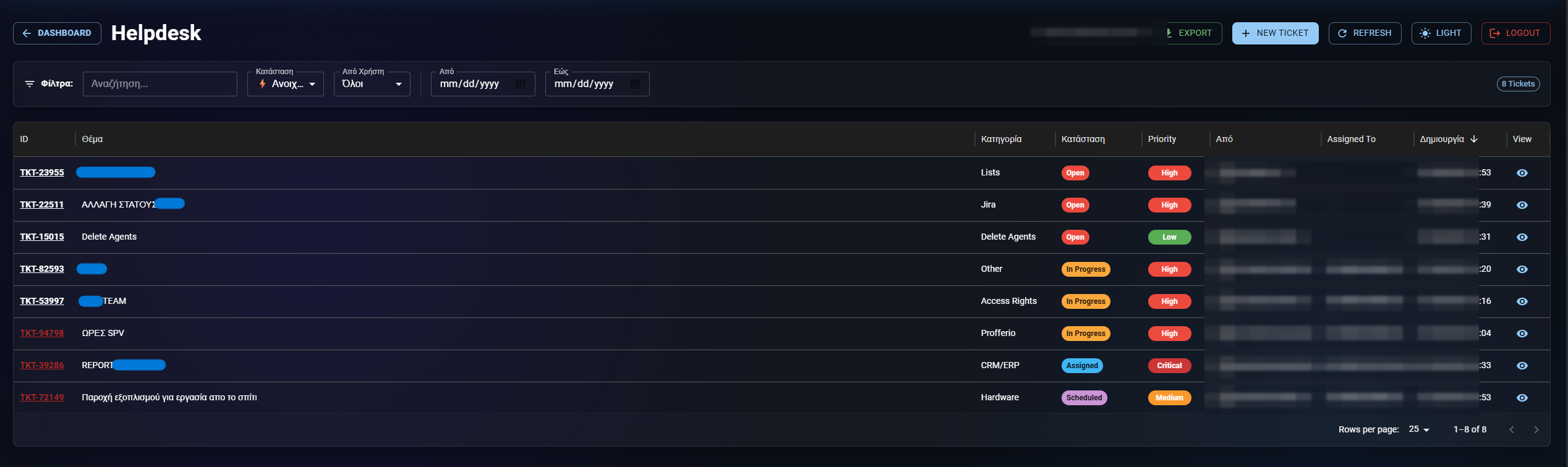
How it goes live
-
1. Connect the account
We connect your company's Viber business account to Profferio. If you don't have one, we help you get it.
-
2. Message templates
Together we write the texts for each moment: ticket received, appointment, completion, reminder.
-
3. Rules
Choose which projects, statuses and ticket types trigger each message — in the same automation editor.
-
4. Live
From then on messages go out by themselves and replies are collected on the tickets.
Viber from the ticket, or manual updates?
| Profferio + Viber | Manual / personal phone | |
|---|---|---|
| Sent without human action | By rules | Someone has to remember |
| Correct details in every message | From ticket fields | Copy-paste |
| Customer reply in the history | On the same ticket | Lost on a phone |
| Fallback when there is no Viber | Automatic SMS | — |
| Company name & logo as sender | Yes | No |
| Delivery / read status | Logged | No |
Why Viber
Where customers already look
In Greece and much of Eastern Europe, Viber is one of the most widely used messaging apps. A message there is read within minutes, while an update email often lands in promotions or is never opened.
Fewer "where is my request?" calls
Most inbound calls to a service desk are status questions. When customers are updated automatically at every step, those calls drop and the team works on what matters.
The conversation belongs to the company
When technicians talk to customers from personal phones, the history leaves with them. With Viber inside the ticket, every message and reply stays in the system, visible to whoever picks it up next.
Viber automation FAQ
What messages can I send automatically?
Anything related to a ticket: receipt confirmation, technician assignment, appointments and reminders, status changes, completion, feedback requests. Each message comes from a template with variables from the ticket fields.
Can the customer reply?
Yes. The reply returns to the same ticket, appears in its history and the owner gets a notification.
What if the customer has no Viber?
The system automatically sends an SMS with the same content, so the update always gets through.
Do I need a Viber business account?
Yes, messages are sent from an official business account with your company name and logo. We help you through activation.
Is it a separate product?
It is an add-on on top of Profferio ticketing (PSM). It uses the same automation rules, the same users and the same history.
Can I see whether the message was read?
Yes. Delivery and read status are logged on the ticket alongside the message.
Last updated:
See also
Digital Work Card: time tracking with a direct ERGANI II connection
Shifts, hours & leaveShift scheduling, working hours and leave in one system
Ticketing & helpdeskTicketing and helpdesk software built for real workflows
Contact centre (PCC)Contact centre software with a dialer, queues and live reports
Profferio vs JiraThe Greek Jira alternative